> For the complete documentation index, see [llms.txt](https://runemine.gitbook.io/runemine/llms.txt). Markdown versions of documentation pages are available by appending `.md` to page URLs; this page is available as [Markdown](https://runemine.gitbook.io/runemine/user-guides/staking-user-guide/how-to-stake-usdmine.md).
# How to Stake $MINE
Step-by-step on how to stake $MINE on Solana with the Staking Portal.
{% hint style="success" %}
**$MINE Staking Portal →** [**app.runemine.com/staking**](https://app.runemine.com/staking)
{% endhint %}
### 🟄 How to Use the $MINE Staking Platform
### Step 1: Connect Your Solana Wallet
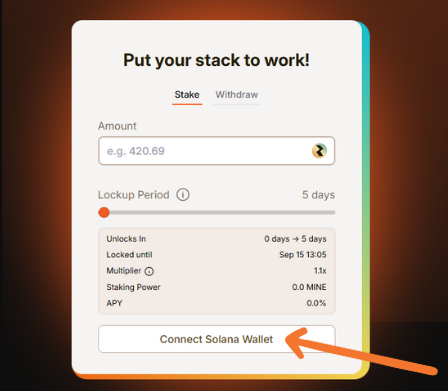
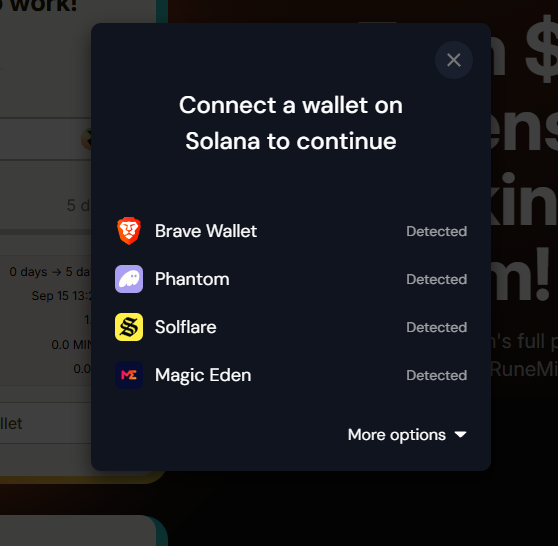
Open the [RuneMine Staking Platform](https://app.runemine.com/staking) and click '**Connect Solana Wallet'**.
* A wallet selector will appear with supported Solana wallets (Phantom, Backpack, Solflare, Brave, Magic Eden, etc.).
* Approve the connection in your wallet popup.
* Once connected, your Solana address will display in the staking panel.
Make sure the wallet you connect is the one holding your $MINE tokens that you wish to stake. Click *'Disconnect'* if you need to disconnect and reconnect another wallet.
### Step 2: Enter the Amount
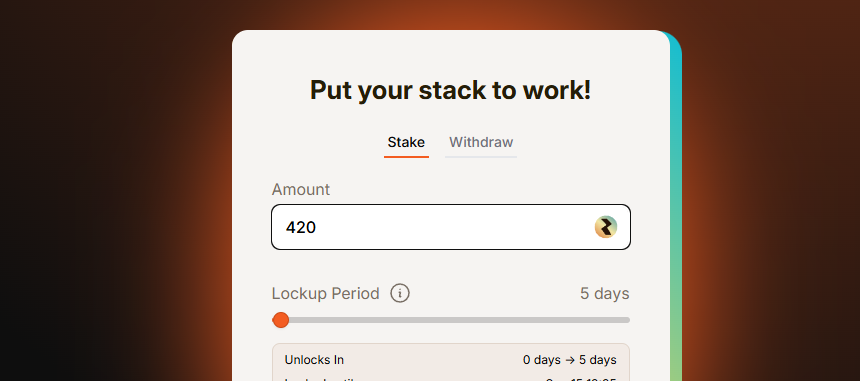
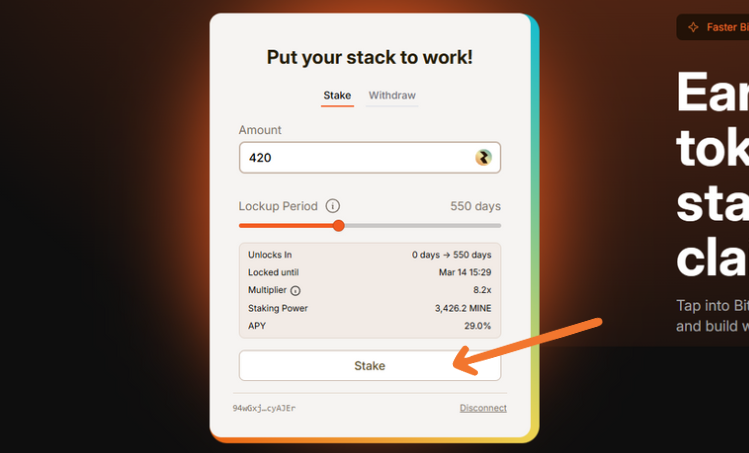
**Enter the amount** of $MINE that you wish to stake. Once staked, this amount is **locked until the end of your chosen duration**. Be sure to double-check before confirming, as you cannot withdraw early.
### Step 3: Set Your Lockup Duration
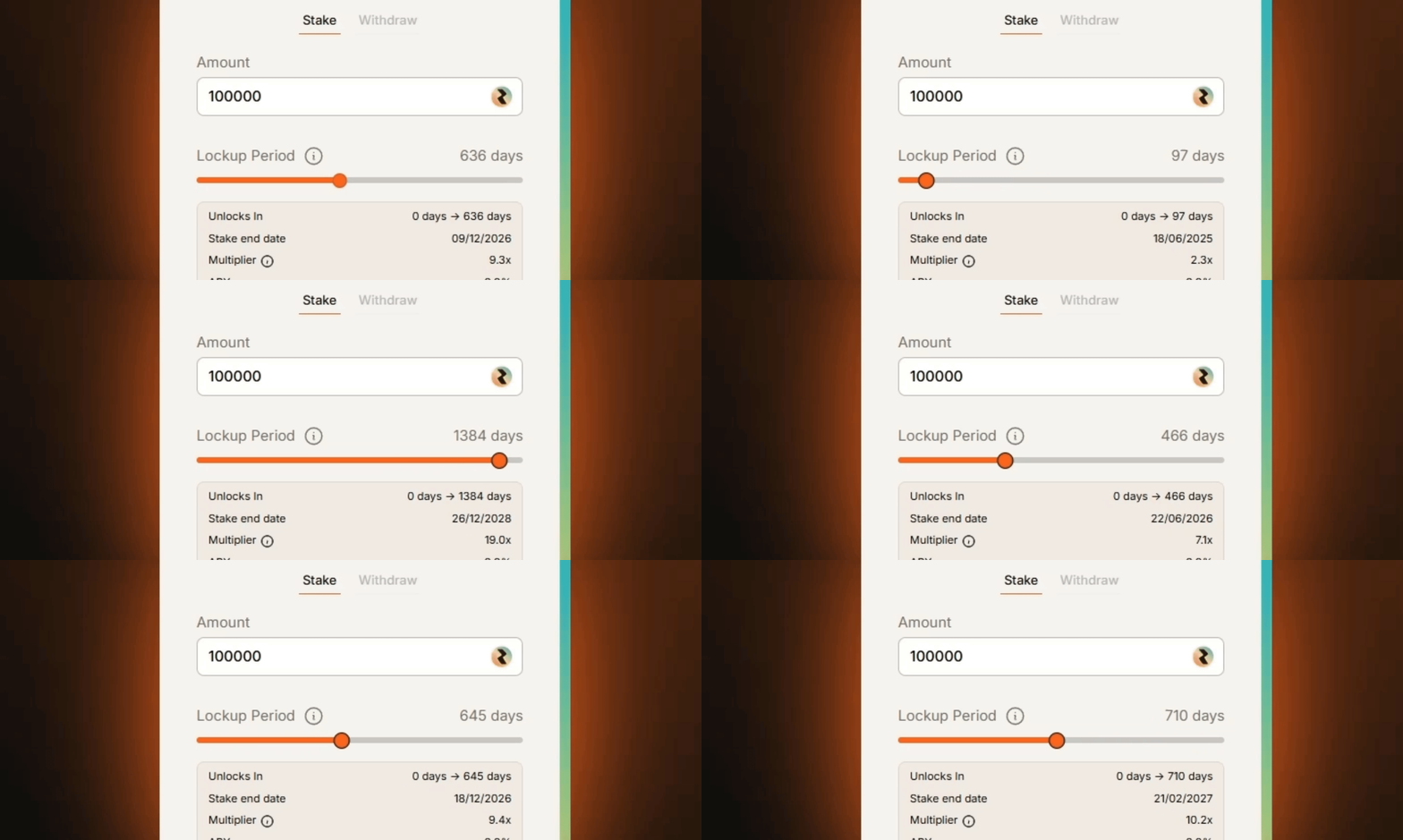
Use the slider to select how long you want to lock your stake - anywhere from **1 day up to 1460 days (4 years)**. You can also use the right and left keys to move the slider.
*The panel will update automatically to show:*
* **Unlocks In**: how many days remain until your stake ends.
* **Locked Until**: the exact date and time your stake will unlock.
* **Multiplier**: the more you lock, the more your rewards are boosted.
* **Staking Power**: your effective weight in the rewards pool.
* **APY**: your estimated yield, which changes as pool conditions change.
### Step 4: Confirm Your Stake
Once you’ve set your amount and duration, **review the details** shown on the panel - amount, lockup period, unlock date, and estimated APY. Click '**Stake'**.
**Check the details** and **confirm** the transaction in your Solana wallet popup. You will need some SOL in your wallet to cover the Solana network fees.
After confirmation:
* Your $MINE is now **locked** for the chosen period.
* Rewards begin accruing **immediately** and are claimable every Solana block.
{% hint style="warning" %}
**Important:** Always double-check your stake details before confirming. Once locked, you cannot withdraw early or make changes to your stake other than to extend or increase the staked amount.
{% endhint %}
### Step 5: Claim Your Rewards
Once staked, your $MINE immediately begins earning rewards - claimable every Solana block.
*On the staking dashboard, you’ll see:*
* **Deposit** - your total staked $MINE.
* **Staking Power** - your effective weight in the rewards pool.
* **Current APY** - your estimated yield, which adjusts dynamically.
* **Locked Until** - the date your stake unlocks.
* **Rewards Earned** - the $MINE rewards you’ve generated so far and can be claimed.
**To claim:**
1. Click '**Claim'** under *Rewards Earned*.
2. Check and approve the transaction in your wallet pop-up (requires a small SOL fee).
3. Your rewards will be transferred instantly to your wallet balance.
{% hint style="info" %}
**Note:** Claiming rewards does **not** reset or affect your lockup. Your staked amount remains locked until the end of your duration. Come back later to keep claiming rewards as they become claimable with each block.
{% endhint %}
### 🟄 Withdraw, Extend or Increase Staking
#### 🞷 Withdrawing Your Stake
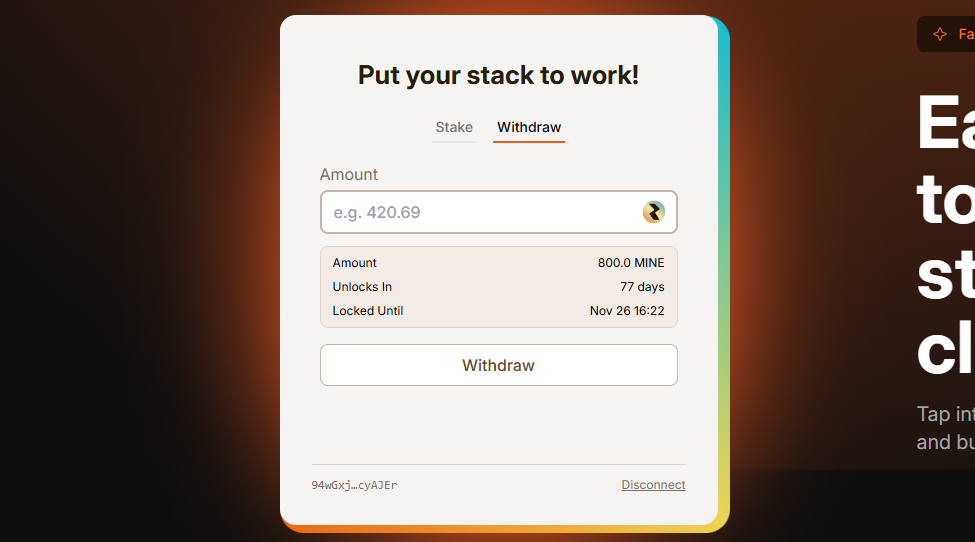
* When your chosen lockup period ends, your staked $MINE becomes available for withdrawal.
* To withdraw, go to the **Withdraw** tab in the staking portal.
* Enter the amount you want to withdraw (or click the wallet icon for max).
* Approve the transaction in your Solana wallet (requires a small SOL fee).
* Your unlocked $MINE will be returned directly to your wallet.
{% hint style="info" %}
**Reminder:** You cannot withdraw any portion of your stake before the lockup period ends.
{% endhint %}
#### 🞷 Extending Your Stake
* Each wallet can only have **one active lockup** at a time.
* To extend your stake, enter an amount of at least 1 $MINE and adjust the duration slider to a new end date that is **at least one day longer than your current lockup**.
* Example: If your original stake was set for 180 days, you must extend to at least **181 days**. The additional day will be added to your existing stake, with the **initial start date (Day Zero) remaining the same**.
* Extending increases your staking power, giving you a bigger share of rewards compared to shorter stakers.
#### 🞷 Adding More $MINE to Your Stake
* To add additional tokens to an existing stake, you must also extend your lockup period.
* The system requires this because each wallet can only hold **one active stake period**.
* Example: If your stake was for 180 days, and you want to add more tokens, you must increase the slider to at least **181 days** or more.
* The additionally staked tokens will join your existing stake, with the same **day zero start date**.
#### 🞷 The Day Zero Rule
* Your initial start date (Day 0) **never changes**, even if you extend.
* Extending your stake adds days to the original timeline.
* You cannot go beyond **1460 days (4 years) from your original start date**.
{% hint style="warning" %}
**Run into an issue?** Hop into the official [RuneMine Discord](https://discord.gg/runemine) and open a support ticket. Our team will be happy to help. **Important:** Discord tickets are the *only* official support channel. RuneMine staff will never DM you first or ask for sensitive information.
🟄 **Official Staking Support →** [**https://discord.gg/runemine**](https://discord.gg/runemine)
{% endhint %}